KumikoUI - A Free, Open-Source DataGrid for MAUI
- Michael Stonis
- Maui
- March 5, 2026
Table of Contents
Background
I have been poking at some version of a canvas-drawn DataGrid for .NET for years. Multiple attempts, different architectures, never quite getting all the pieces to land at once. The feature set I wanted kept outpacing what I was able to finish.
This iteration finally got there. A big part of that was using AI more aggressively to work through the specific problems that had stalled previous attempts. A few things that I had tried and abandoned before clicked when I was able to think them through with a better feedback loop.
The result is KumikoUI.
A Free DataGrid for MAUI
KumikoUI is a DataGrid for .NET MAUI. Fully canvas-drawn using SkiaSharp, zero native controls underneath. Every cell, header, editor, scrollbar, and popup is rendered directly onto a SKCanvasView. That means identical, pixel-perfect output across iOS, Android, macOS Catalyst, and Windows.
It is early. There are rough edges and things that will change. But the feature set is already substantial, and everything is 100% free and MIT licensed.
Library
Source Code
Why I Made This
The paid DataGrid options for MAUI are not cheap. Some of them are tied to suite licenses that cost several hundred dollars a year, per developer, and you are paying that whether you need one control or twenty. For a lot of projects, especially smaller or independent ones, that math does not work.
The free options have real gaps. Most of them stop short of the features that make a grid actually useful in a business application: proper filtering, grouping, summaries, inline editing with configurable triggers, frozen columns and rows, drag and drop reorder. You get something that looks like a grid and works for simple cases, but as soon as requirements get more specific you are either patching it yourself or upgrading to something paid.
I wanted something with the full feature set, available for free, that I could use across projects without thinking about it. Since nothing fit that description, I built it.
Going canvas-drawn was a deliberate choice and not the easy one. The native control route always runs into a ceiling eventually. You end up fighting the platform on selection behavior, custom rendering, or just making things look consistent across iOS, Android, macOS, and Windows. When everything is drawn on a canvas you own the entire visual stack. The tradeoff is that you take on responsibility for things like keyboard handling and text input that native controls get for free. KumikoUI handles all of that internally, so you get the flexibility without having to build the plumbing yourself.
The other reason for canvas-drawn is future portability. The rendering is abstracted behind an IDrawingContext interface. KumikoUI.Core has no dependency on MAUI or SkiaSharp at all. That means bringing this to UNO, Blazor, or anywhere else with a drawing surface is possible without rewriting the core grid logic.
What Is Next
The MAUI target has my focus right now, but the intention was always to keep the architecture portable. UNO and Blazor are the most likely next targets when the time comes.
The project is still early. There will be rough spots, missing features, and APIs that change as things get used in the real world. That is fine. It ships and improves.
One thing I genuinely need and do not have: a logo. If you happen to know a designer looking for an open-source project to work on, point them my way.
Try It and Send Feedback
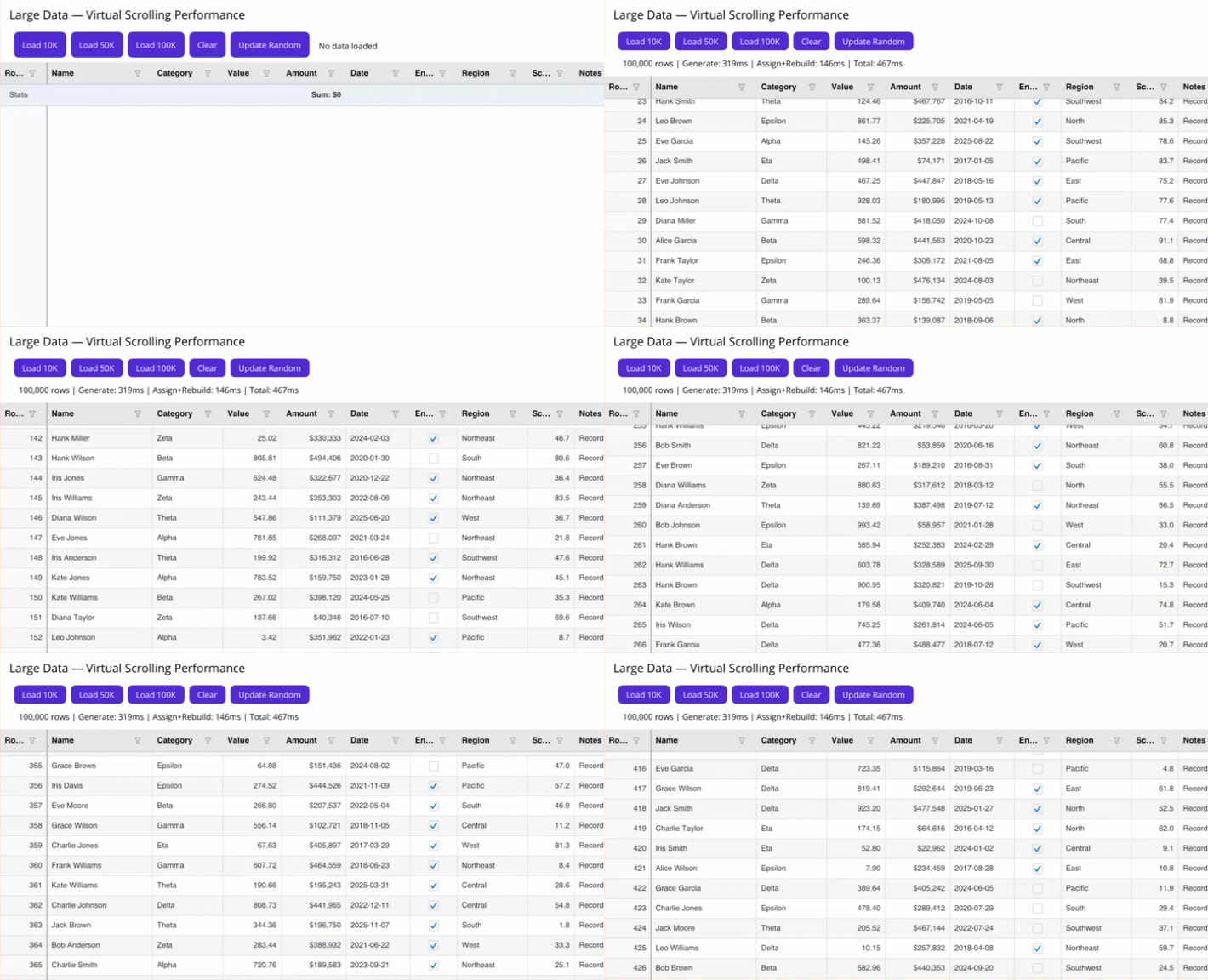
The packages are on NuGet at nuget.org. The code is on GitHub at TheEightBot/KumikoUI. The sample app in samples/SampleApp.Maui covers every feature, including a 100K-row stress test page, so you can see how it performs before committing to it.
If you run into bugs, have a feature request, or want to contribute, open an issue. The more real-world feedback this gets, the better it will get.